(WIP)Troubleshoot - GCC High Migration - Users can't sign into M365 Desktop Apps
Synopsis: Unable to sign into M365 Desktop apps after migration to GCC High tenant
Published July 26th, 2026
Last Modified: July 26th, 2026
Issue Symptons - When trying to sign in or activate an Office 365 App:"Error code -895352824"
"A server error occured. Please try again. [2605]"
"AADSTS50000: There was an error issuing a token or an issue with our sign-in service."
"Error code -895352824"
Published July 26th, 2026
Last Modified: July 26th, 2026
Issue Symptons - When trying to sign in or activate an Office 365 App:
Troubleshooting Sections
-
1.) Issue Confirmation
2.) Solution: Home Realm Discovery Cache
3.) Solution Confirmation: Reg Key Evidence
Issue Confirmation
-
1.) Does this describe your problem ? https://www.reddit.com/r/Office365/comments/1oj67lv/gcc_high_migration_users_cant_sign_into_microsoft/
2.) Did your GCC High migration involve moving the custom domain from the commercial tenant into the new GCC High tenant?
3.) Do you have the following registry keys showing your federation provider for a commercial space instead of a gcc one?
Solution: Home Realm Discovery Cache
-
If your problem matched the above 3 confirmations, you might have the same problem as me.
You need to submit a ticket with Microsoft. There is a feature called 'Home Realm Discovery' and this system supposedly helps sign'in attempts get to the right place. In ADFS environments this might be setup manually, however for everyone else, it's a system built-in to Microsoft.
This system can take a week to update for a domain. And only Microsoft can do it for you.
Submit a high priority ticket, as no Office365 apps will work for your end users until the cache clears. Once in a while during troubleshooting an app like teams or onedrive would make a successful sign in. Not sure why it got through sometimes.
Working with Microsoft. During my ticket, it was escalated to the Identity team after an hour, and then about 3 hours of meandering later, we were able to get to the solutiong of them clearing the HRD cache. The engineer I was working with started to advise that I needed to update firewall rules and shared a MS learn document with 45 enteries. I had to argue that, it wasn't related, and that I'm seeing sign in attempts reach the commercial space. It then went to that I needed to reconfigure Home Realm Discovery and argued a bit more about if my tenant was federated or not, and if we were using ADFS or not, and finally they did the internal work to fix the issue.
After the MS engineer made the change, they said as much, and said it would take 30 minutes or so to progate.
After about 20 or so, one of my apps started working!
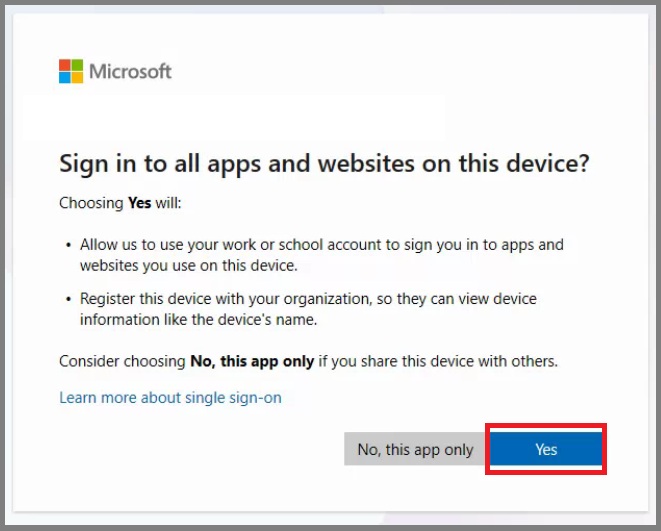
Changing the sign in method from 'No, this app only', to 'Yes' solved this issue during my testing.
Confirmation.
-
The previously noted bread crumb for 'Federation Provider' has updated to a .us link!
It still took about 10 - 15 minutes for all the apps and test users to start working, but that was it.