Powershell 7 - IDE Setup
Synopsis: Installation steps taken for setup of an IDE for PowerShell 7.
Published April 11th, 2026
Last Modified: April 11th, 2026
Intro: A new computer made me realize the amount of fine tuning I needed for my last computer's PowerShell setup. Issues between PS versions, Microsoft Graph takening Eons to load, and module versioning. I'm outlining the steps here for future Grug sanity.
Published April 11th, 2026
Last Modified: April 11th, 2026
Intro: A new computer made me realize the amount of fine tuning I needed for my last computer's PowerShell setup. Issues between PS versions, Microsoft Graph takening Eons to load, and module versioning. I'm outlining the steps here for future Grug sanity.
Quick Run Down
-
1.) IDE Install
2.) PowerShell Extension
3.) PowerShell 7
4.) PowerShell Theme (Optional)
IDE Install
-
AI Says; "Visual Studio Code (Recommended): VS Code with the official PowerShell extension is the Microsoft-recommended environment for PowerShell 7. It provides IntelliSense, a built-in debugger, and a specialized "ISE Mode" for those accustomed to the older interface."
- Starting with that - Installing Visual Studio Code from Microsoft Store.
PowerShell Extension
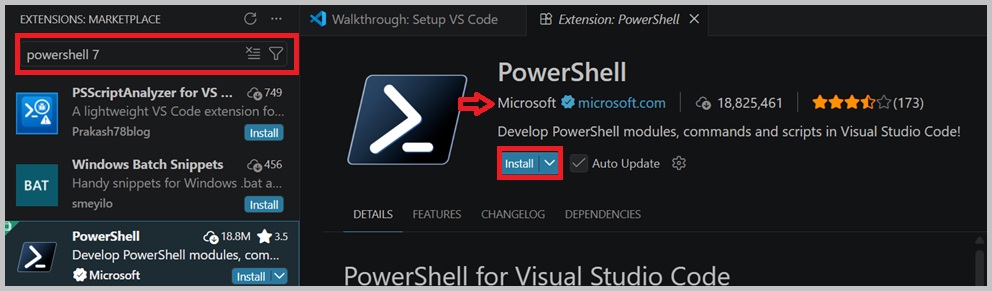
- Download the Extension for PowerShell from within VS Code.
- Look for the extension published by 'Microsoft'.
- This only starts with PowerShell 5. You'll need to continue through the next steps to get PowerShell 7.
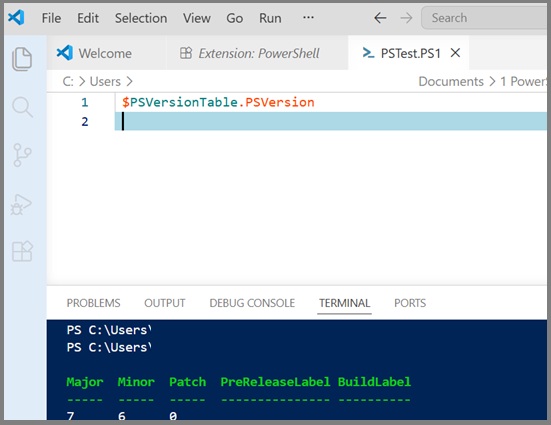
- To confirm this, run "$PSVersionTable.PSVersion
$PSVersionTable.PSVersion


            Major  Minor  Build  Revision

            -----  -----  -----  --------

            5      1      26100  7920
PowerShell 7
- Run this within the Terminal. After downloading, an install Wizard will display. Default settings was selected for this install.
- Restart VS Code
iex "& { $(irm https://aka.ms/install-powershell.ps1) } -UseMSI"PowerShell Theme
-
Bundled with the extension is the PowerShell ISE theme. It is not activated by default, but after installing this extension either click Set Color Theme or use the theme picker and select PowerShell ISE. - Source "https://marketplace.visualstudio.com/items?itemName=ms-vscode.PowerShell"
Troubleshooting Tips
- None. You're on your own, Dingo.